
If you are sick of the LOOOOOONG URL's that the ning API generates for file uploads and you'd like something more managable, read on. If your advanced section of your CSS is full and you want to shorten your import CSS@ urls, read on. Just look how much cleaner your code can be:
USE YOUR DROPBOX PUBLIC FOLDER TO HOST YOUR EXTERNAL FILES
Dropbox is a free file back-up service which offers an online-space of 2GiB for basic users (i.e. free version). Dropbox also offers multi-platform desktop clients which makes uploading files even easier.
Not only for backing up important files, you can also use Dropbox for hosting your javascript and css files too. For free!
1. Download and install Dropbox client available at the website. (We will deal with Dropbox on Windows but Linux and Mac clients are also available.)
2. Once installed you can find the Dropbox folder at C:\Documents and Settings\[username]\My Documents\My Dropbox\. Navigate to the folder.
3. Within the My Dropbox, there is a folder called Public, by default. Double click and get inside the folder. (There is a file called Top Secret.txt by default.) Now create two folders inside Public by simply right-clicking, going to "New" and creating a new folder. Call these folders as css and js. (You can choose anything else.)
4. Now, copy-paste all those css and js files you want to be hosted in Dropbox into css and js.
5. Open the Dropbox desktop client by going to Start » All Programs » Dropbox.
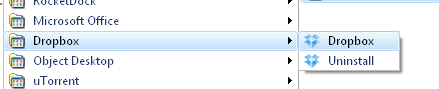
6. Notice that there's a Dropbox logo in the tray area of your taskbar which means Dropbox is running in the background. Wait for a few minutes so that Dropbox completes uploading the new documents which you have just added. (You can check whether upload is complete or not — when upload is complete, the logo in the tray area changes and has a tick on it.)
7. Finally navigate to css (or js) folder and right-click on any of the files in it. Go to Dropbox » Copy Public Link. And the link is there in your clipboard.

Use the link anywhere you want the files to be accessed.
There's no bandwidth limit as of now!
The bandwidth limit for free accounts is 10 GiB per day.
GET DROPBOX if you havent already and save yourself some time and space

Replies
Jfarrow,
Great tip. The bandwidth limit doesn't seem like a dealbreaker for most networks, since these files can't be that large and you'd need to have a ton of requests to hit 10GB. That said, I'm wondering if you've noticed any latency on your network from hosting JS/CSS files there as opposed to keeping them on Ning servers. This would be my only concern here.
Nice tip JFarrow. But I wonder about latency as well. Really great job on the instructions. =)
If you invite someone to Dropbox you then get extra space yourself too. (or you used to havent' checked in a while)
no latency at all...so far so good!
Awesome! Another bonus to this approach is that if you use the desktop client, you'll always have a backup of the CSS/JS files on your network. I can't recommend backing these up enough!
after a week of testing it, i have found that this method actually loads my pages FASTER than ning servers
For The Win!!!
Greatness.
fo sho
I stuffed this into Custom Code.
<link rel="stylesheet" type="text/css" href="http://dl.dropbox.com/u/68987797/CSS/motorhomes.css" media="screen" />
It loads but only after showing the pages without style first and then showing the styled page a moment later.
http://dl.dropbox.com/u/68987797/CSS/motorhomes.css
i should have mentioned this... use that method for custom code box...but when importing CSS use the @import method
-
1
-
2
of 2 Next